This widget displays a tag cloud of terms related to the LMS as clickable links. The LMS will search for the selected term throughout the system. The cloud may include items found in the Course Catalog, Blogs, and ShareSpaces (wikis). The list of words is created from those most frequently used in the course metadata on your site. The cloud will show the top 200 terms. You can use “stop words” to prevent the system from including certain terms.
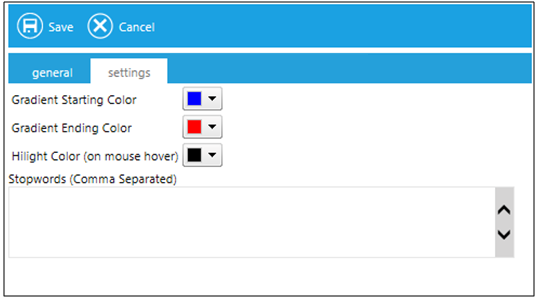
On the Settings tab, you can select the colors for your cloud.
The Gradient Starting Color is used for the most infrequent terms.
The Gradient Ending Color is used for the most frequent terms.
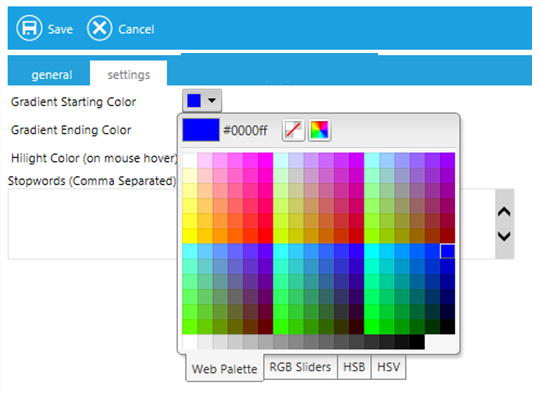
To change a color, click on the color drop down box. A color selection grid will apear. Click on the desired color or enter the exact hexadecimal code of the selected color at the top of the grid.
Use the Stopwords field to enter commonly used terms that should be omitted from your Term Cloud, for example "module". Stop words should be separated by commas. The system will automatically omit many common words such as "the, know, show" and others.